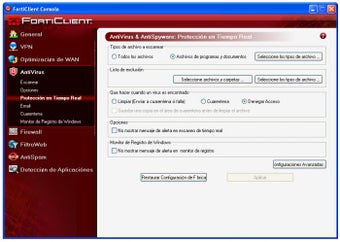
An all-in-one secure productivity tool
FortiClient is a freemium security and privacy software that offers a comprehensive solution for endpoint protection on your PC. Developed by Fortinet, a known name in the field of security solutions, this acts as an integrated platform with cutting-edge features for threat visibility and protection.
Top Recommended Alternative

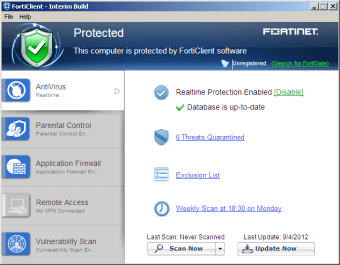
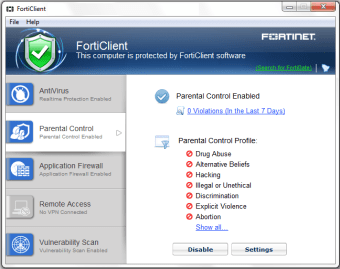
What sets FortiClient apart is its simplicity. It's not just for tech experts; anyone can navigate its user-friendly interface to control their PC's entire security system. It offers the ability to filter online content, prevent malware exploitation, and protect against ransomware, all without affecting system resources.
Manage your security with ease
One of the key features of FortiClient is its ability to safeguard computer networks remotely connected to client devices. The software effectively protects your network as well as computers, tablets, and smartphones from cyber attacks, hackers, and other threats. This integration of all endpoints into the Fortinet Security Fabric means it is not just security software but a comprehensive solution for threat visibility and prevention.
Despite the initial image download taking several minutes during installation, it operates smoothly thereafter. It offers two licensing modes: Managed and Standalone. While the Standalone mode is license-free, the Managed mode provides both paid and free trial licenses. The Managed mode includes access to the licensed Enterprise Management Server (EMS) or FortiGate, offering a comprehensive solution for those requiring more advanced features and control over their cybersecurity measures.
Unleash the power of FortiClient
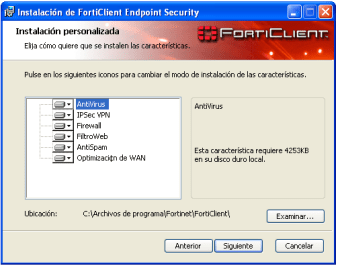
FortiClient offers four setup types: Security Fabric Agent, Secure Remote Access, Advanced Persistent Threat (APT) Components, and Additional Security Features. Its seamless integration with the well-regarded Fortinet Security Fabric facilitates early detection of security issues and enforces advanced preventive measures. This robust security system ensures real-time reporting of any security-related activities, providing users with vigilant and comprehensive protection against potential digital threats.
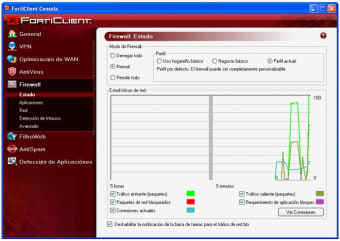
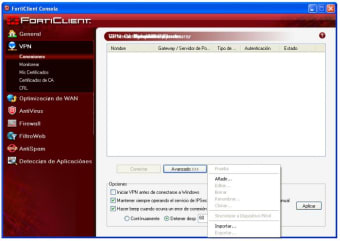
The Secure Remote Access setup offers SSL support, thereby enabling seamless access to the program's VPN. The Advanced Persistent Threat (APT) Components provide support for FortiSandbox, an AI-driven solution adept at real-time detection and isolation of phishing attacks and other malicious content. In addition, the Additional Security Features setup offers robust antivirus protection, firewall configuration, and web filtering capabilities. It also supports a single log-in feature for user convenience and enhanced security.
It offers high customizability, allowing users to enable all or selectively activate the aforementioned features as per their needs. By default, only the Security Fabric Agent is enabled, providing essential protection. The remaining setup types - Secure Remote Access, Advanced Persistent Threat (APT) Components, and Additional Security Features - are optional, giving users flexibility in tailoring their security setup to their specific requirements, thereby enhancing their overall cybersecurity experience.
Rock-solid security
The latest update for FortiClient, Fortinet’s popular VPN client, focuses on strengthening security and user experience. Version 7.4.2 bolsters Zero Trust Network Access (ZTNA) with JWT (JSON Web Token) support, ensuring smooth remote access even during network hiccups. Plus, you can now say goodbye to disruptive post-update reboots thanks to transparent upgrades. The evolved ZTNA tags, now called security posture tags, offer broader control over endpoints within the Fortinet Security Fabric. The update further sweetens the deal for IT admins with the expanded mobile device management (MDM) integration. Now, EMS in high availability (HA) mode, FortiClient Cloud deployments, and multi-tenant EMS setups can seamlessly integrate with popular MDM solutions, allowing for centralized control of devices across diverse setups.
Boost your security and productivity
FortiClient is a versatile solution that helps individuals and teams secure, organize, and manage a wide array of tasks. With features like automated processes, a user-friendly interface, and cloud connections, it offers a comprehensive solution for threat visibility and prevention. Whether you're a tech enthusiast or a casual user, this software’s adaptability ensures it can meet your specific needs and more.